Introduction LoRa
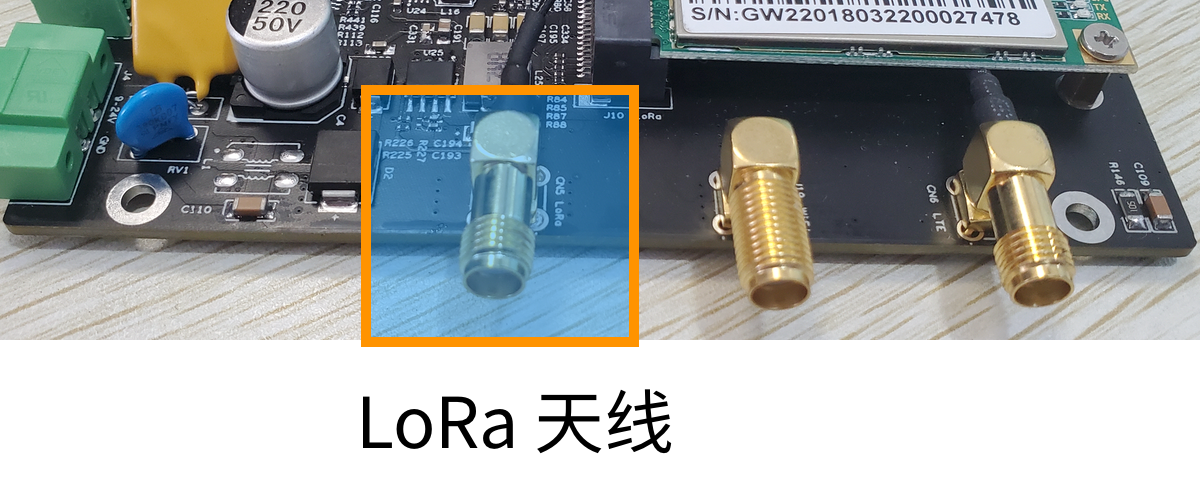
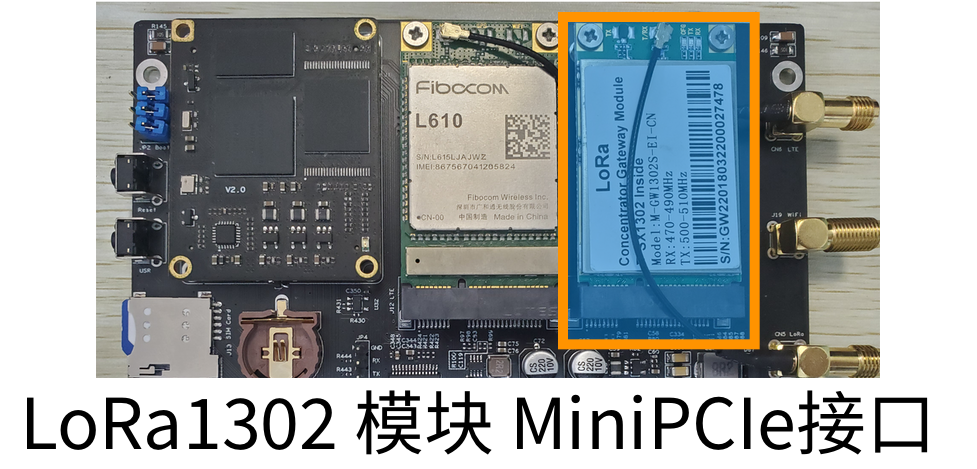
The GW102 gateway supports LoRa wireless functionality and can be equipped with a LoRa wireless communication module. It has a built-in Mini-PCIE interface, which can accommodate either a LoRa gateway module or a LoRa node module. The LoRa antenna interface uses an SMA antenna connector (external thread, internal hole), located on the side of the gateway, with the silkscreen label "LoRa".
The actual LoRa antenna is shown below:
The actual LoRa MiniPCIe connector is shown below:
LoRa Modules For LoRa gateway modules, most on the market use SX1301/1302 chip solutions, and there are three communication methods:
- SPI interface: the gateway communicates directly with the SX1301/1302 chip inside the module.
- USB interface: the module has a built-in USB-to-SPI circuit, and the gateway communicates with the module via USB signals.
- Serial interface: the module has a built-in MCU, and the gateway communicates with the MCU through the serial port.
By default, the GW102 gateway is currently equipped with an SX1302 gateway module.
There are two types of implementation solutions for LoRa node modules:
- Standalone SX1276/1278 chip solution: the gateway communicates with the module via the SPI interface.
- MUC+SX1276/1278 chip solution: the gateway communicates with the module via the UART serial port.
Connecting to the ChirpStack Service
The GW102 gateway only needs to be configured with the IP address or domain name of the ChirpStack service, with port number 1700. After the service is started, the device will appear online in the ChirpStack service.
The SX1302 configuration file path is /etc/lora1302-pktfwd/global_conf.json; after modification, the service needs to be restarted.
Enable the data forwarding service for the SX1302 module:
systemctl enable lora_sx1302_pktfwd
systemctl start lora_sx1302_pktfwd