Ethernet Interface
The GW101 gateway provides two Ethernet interfaces, both of which are 100Mbps Ethernet ports. The physical connector is a dual-port RJ45 socket. Each Ethernet port has two LED indicators to indicate the Ethernet operating status. When no network cable is connected, the indicators are off. When a network cable is connected, the yellow LED is on, indicating a normal connection. When data is being transmitted, the green LED blinks.
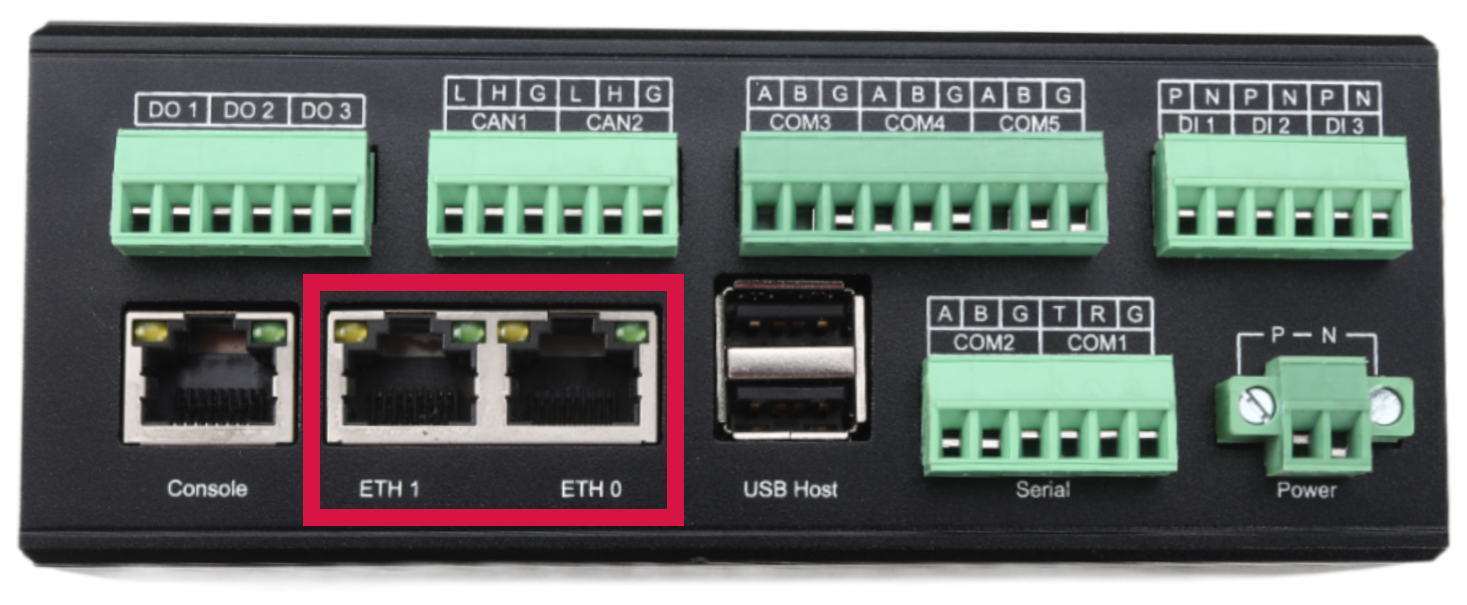
Linux System Interface Definition
| Enclosure Silkscreen |
| ETH0 |
| ETH1 |
Common Network Commands
View Network Devices in the System
# ifconfig -a
eth0      Link encap:Ethernet  HWaddr c2:83:23:40:bf:7b
          inet6 addr: fde3:c0c9:1c0a:0:c083:23ff:fe40:bf7b/64 Scope:Global
          inet6 addr: fe80::c083:23ff:fe40:bf7b/64 Scope:Link
          UP BROADCAST RUNNING MULTICAST  MTU:1500  Metric:1
          RX packets:20 errors:0 dropped:12 overruns:0 frame:0
          TX packets:47 errors:0 dropped:0 overruns:0 carrier:0
          collisions:0 txqueuelen:1000
          RX bytes:2132 (2.0 KiB)  TX bytes:8406 (8.2 KiB)

eth1      Link encap:Ethernet  HWaddr 2e:ec:c8:cc:a2:fb
          BROADCAST MULTICAST  MTU:1500  Metric:1
          RX packets:0 errors:0 dropped:0 overruns:0 frame:0
          TX packets:0 errors:0 dropped:0 overruns:0 carrier:0
          collisions:0 txqueuelen:1000
          RX bytes:0 (0.0 B)  TX bytes:0 (0.0 B)

lo        Link encap:Local Loopback
          inet addr:127.0.0.1  Mask:255.0.0.0
          inet6 addr: ::1/128 Scope:Host
          UP LOOPBACK RUNNING  MTU:65536  Metric:1
          RX packets:0 errors:0 dropped:0 overruns:0 frame:0
          TX packets:0 errors:0 dropped:0 overruns:0 carrier:0
          collisions:0 txqueuelen:0
          RX bytes:0 (0.0 B)  TX bytes:0 (0.0 B)

sit0      Link encap:UNSPEC  HWaddr 00-00-00-00-00-00-00-00-00-00-00-00-00-00-00-00
          NOARP  MTU:1480  Metric:1
          RX packets:0 errors:0 dropped:0 overruns:0 frame:0
          TX packets:0 errors:0 dropped:0 overruns:0 carrier:0
          collisions:0 txqueuelen:0
          RX bytes:0 (0.0 B)  TX bytes:0 (0.0 B)
Configure IP Address
# ifconfig eth0 192.168.1.100
Configure Gateway
# route add default gw 192.168.1.1
Configure DNS Domain Name Resolution Service
# echo "nameserver 8.8.8.8" > /etc/resolv.conf
# echo "nameserver 114.114.114.114" >> /etc/resolv.conf
After configuration is complete, you can use the ping command to test connectivity between the development board and the Internet.
# ping bing.com
PING bing.com (204.79.197.200): 56 data bytes
64 bytes from 204.79.197.200: icmp_seq=0 ttl=118 time=12.205 ms
64 bytes from 204.79.197.200: icmp_seq=1 ttl=118 time=12.017 ms
64 bytes from 204.79.197.200: icmp_seq=2 ttl=118 time=11.565 ms
64 bytes from 204.79.197.200: icmp_seq=3 ttl=118 time=12.116 ms